 RemuxForge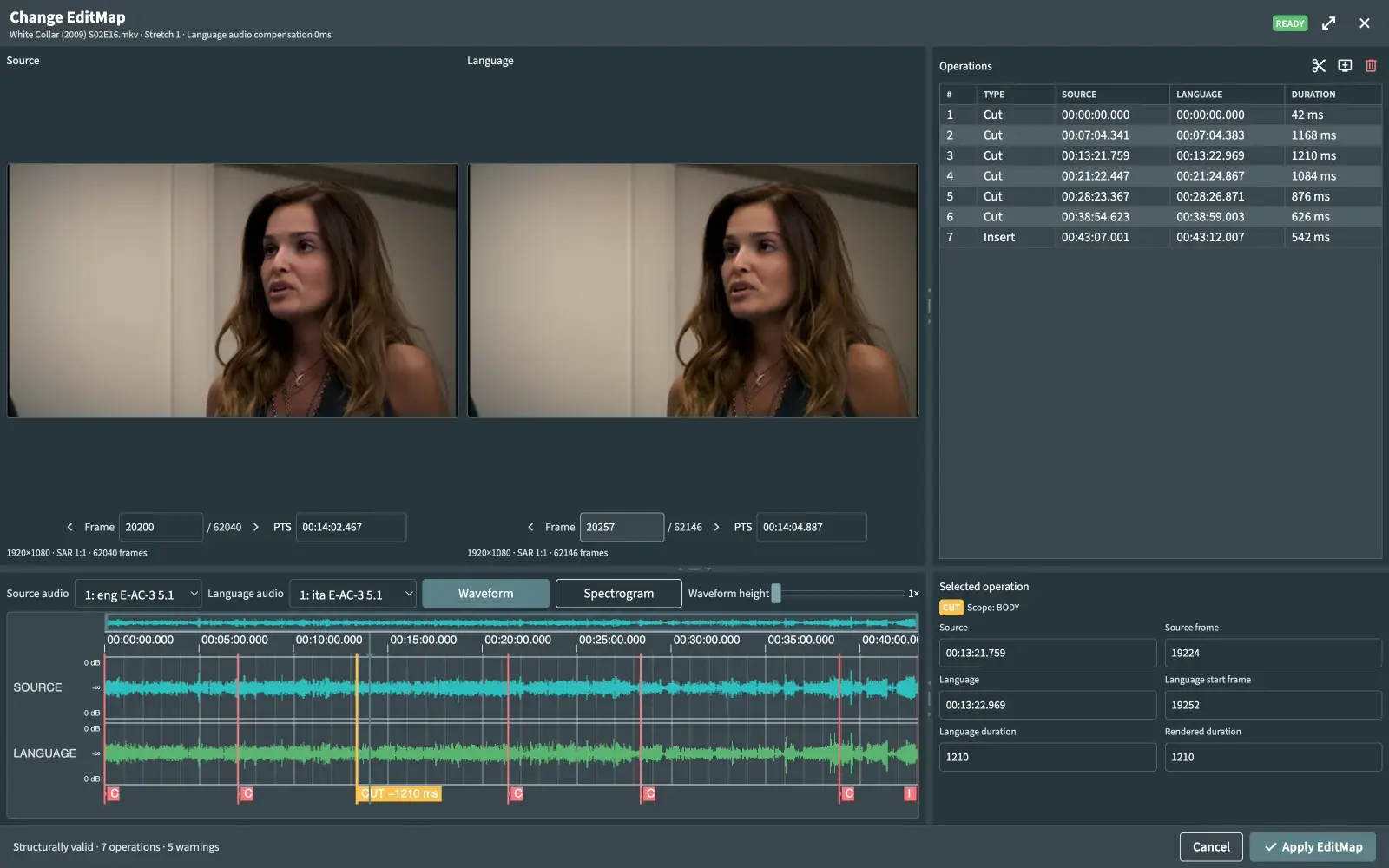
Same episode, two edits. One audio track that fits.
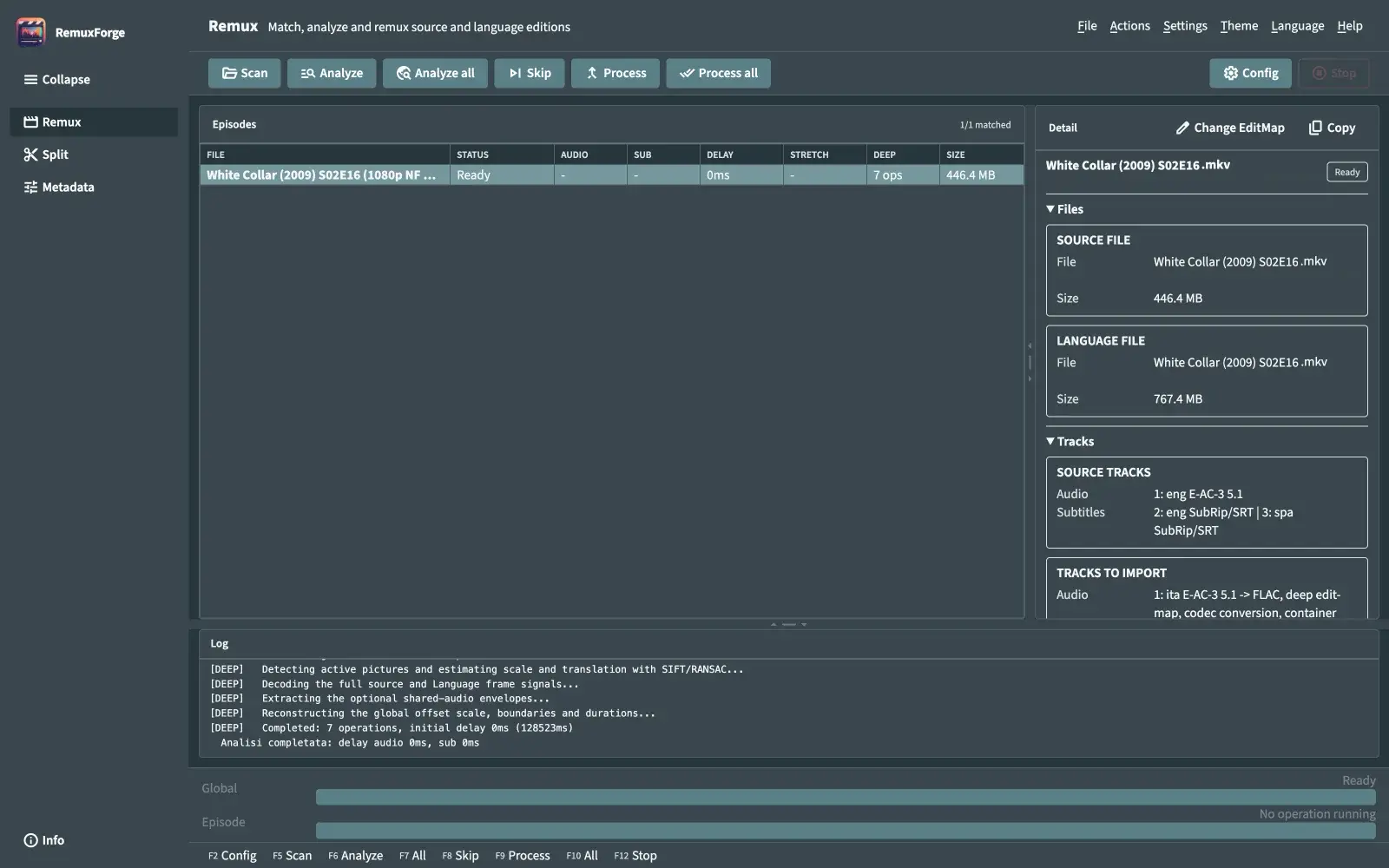
The Italian release of this episode has a little extra footage at six points, and is missing half a second at the end. Merged as-is, its audio slips further out of sync at every one of them. Deep Analysis finds them, and RemuxForge rebuilds the audio around them.
| # | Type | Source | Language | Duration |
|---|---|---|---|---|
| 1 | Cut | 00:00:00.000 | 00:00:00.000 | 42 ms |
| 2 | Cut | 00:07:04.341 | 00:07:04.383 | 1168 ms |
| 3 | Cut | 00:13:21.759 | 00:13:22.969 | 1210 ms |
| 4 | Cut | 00:21:22.447 | 00:21:24.867 | 1084 ms |
| 5 | Cut | 00:28:23.367 | 00:28:26.871 | 876 ms |
| 6 | Cut | 00:38:54.623 | 00:38:59.003 | 626 ms |
| 7 | Insert | 00:43:07.001 | 00:43:12.007 | 542 ms |
The real EditMap of this episode, found in 2 min 8 s. Positions are to scale; the width of each operation is enlarged so you can see it.
- EditMap editor with synced frame previews, waveforms and spectrograms, to check or fix any operation by hand.
- Inserts can be filled from the Source audio instead of silence, so a gap doesn't sound like a hole.
- Audio conversion, 24→16 bit and peak normalization when tracks have to be re-encoded.
- Whole seasons at once: episodes are matched by name, analysed in parallel, merged with MKVToolNix.
Direct merge
The audio already lines up.
instantFrame-sync
Off by the same amount for the whole episode.
one analysis passSpeed correction
Drifts steadily: right at the start, seconds off at the end. PAL/NTSC.
re-encodes the audioDeep Analysis
Right in some places, wrong in others. Different edits.
slowestManual delay
You already know the exact offset.
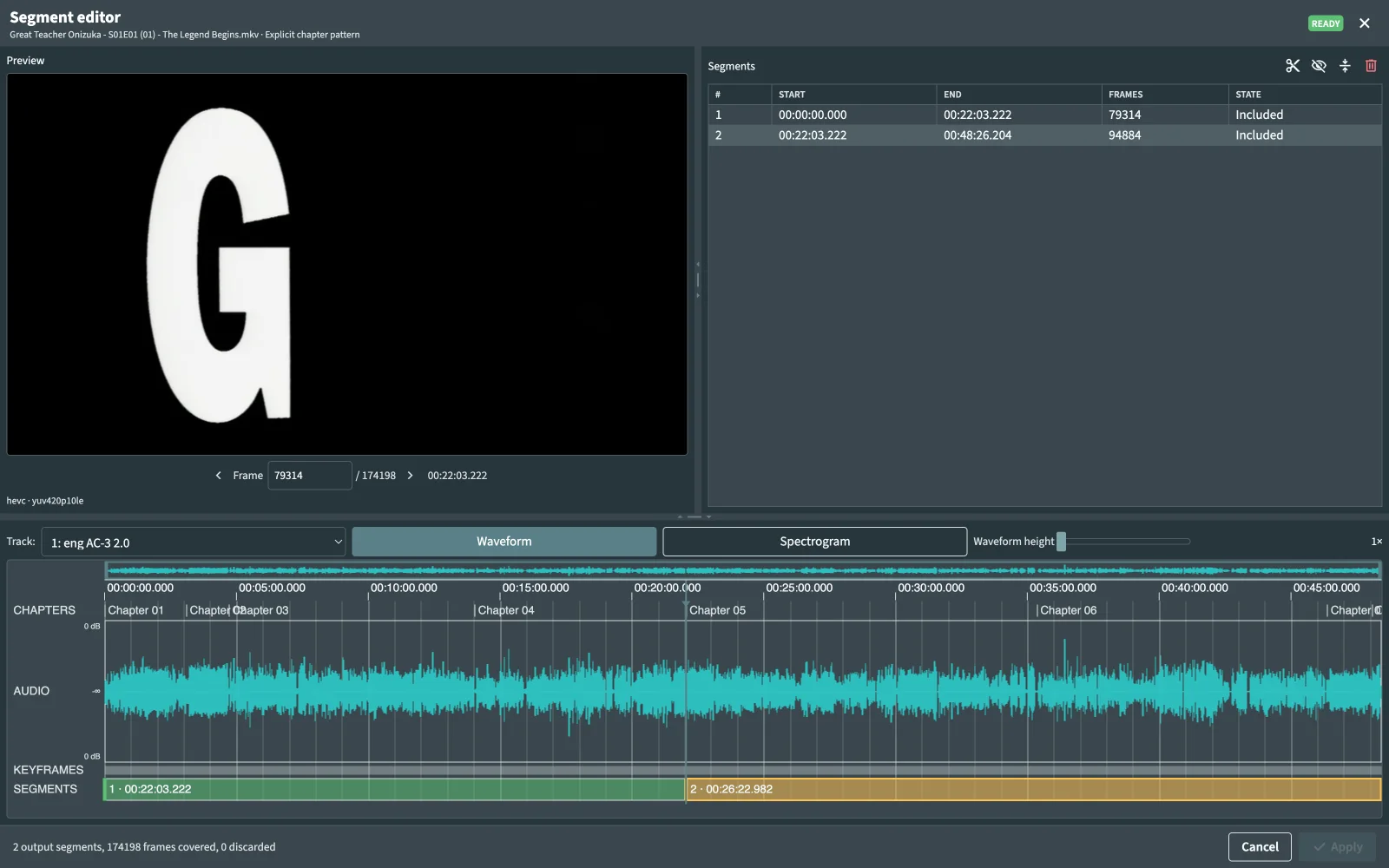
freeCut on the frame you want, not the keyframe you get.
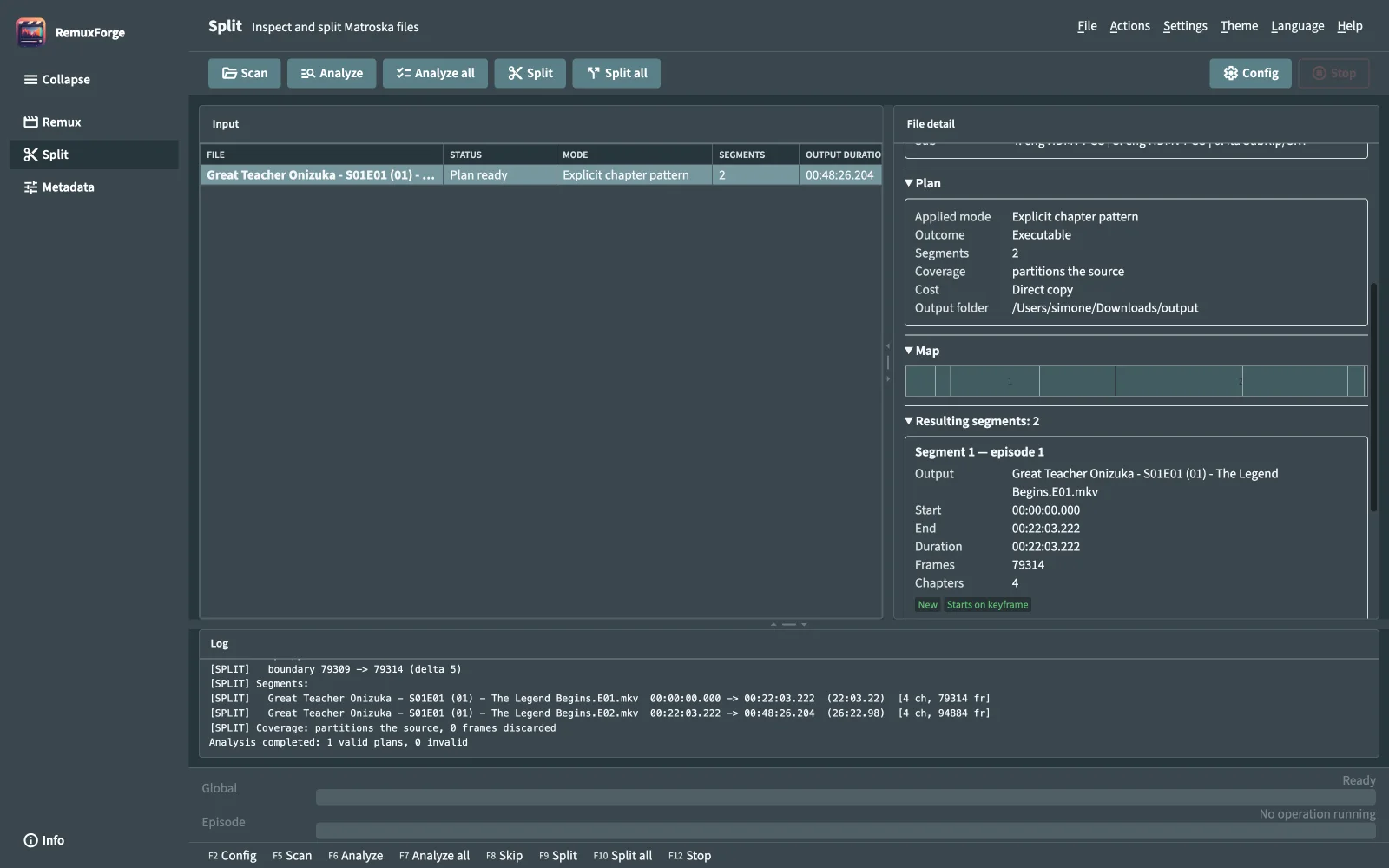
A segment that starts mid-GOP can't just be copied: its first frames are predicted from outside the segment. RemuxForge re-encodes only those, puts the original parameter sets back, and copies the rest byte for byte. The frame count is checked twice.
- Split by chapters per episode, an explicit chapter pattern, split points, ranges, trims or manual segments.
- Snap to the nearest keyframe for a pure stream copy, or cut exactly where you ask.
- VFR timing, chapters, audio and subtitles carried into every segment. HEVC and AVC.
A whole library, one set of rules.
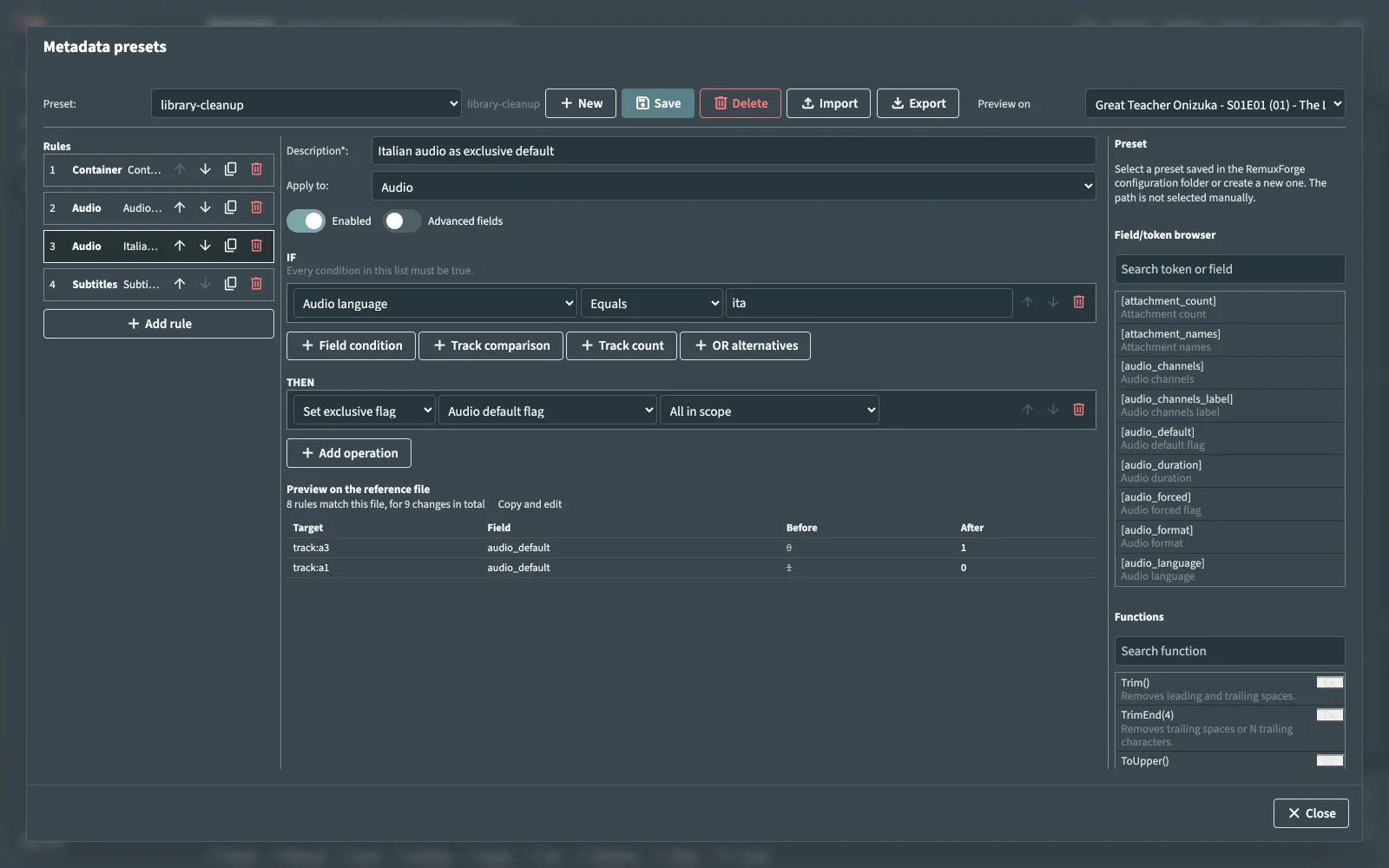
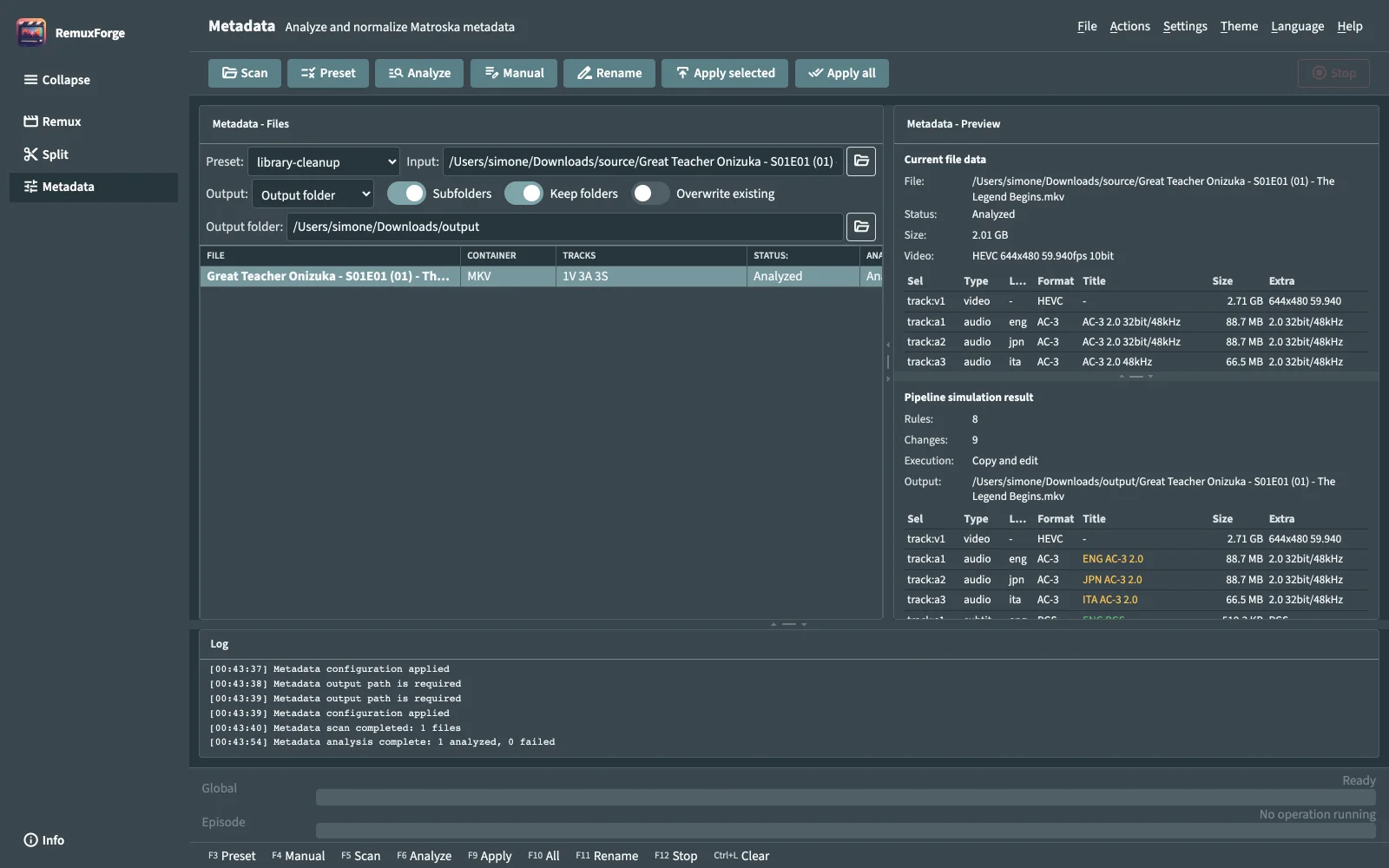
Write a preset once: an ordered pipeline of IF/THEN rules over container, video, audio and subtitle tracks. Run it on a folder and read the simulated result before a single byte changes.
- Field conditions, cross-track comparisons, track counts and OR groups.
- Templated values, exclusive default flags, track removal, Matroska tags.
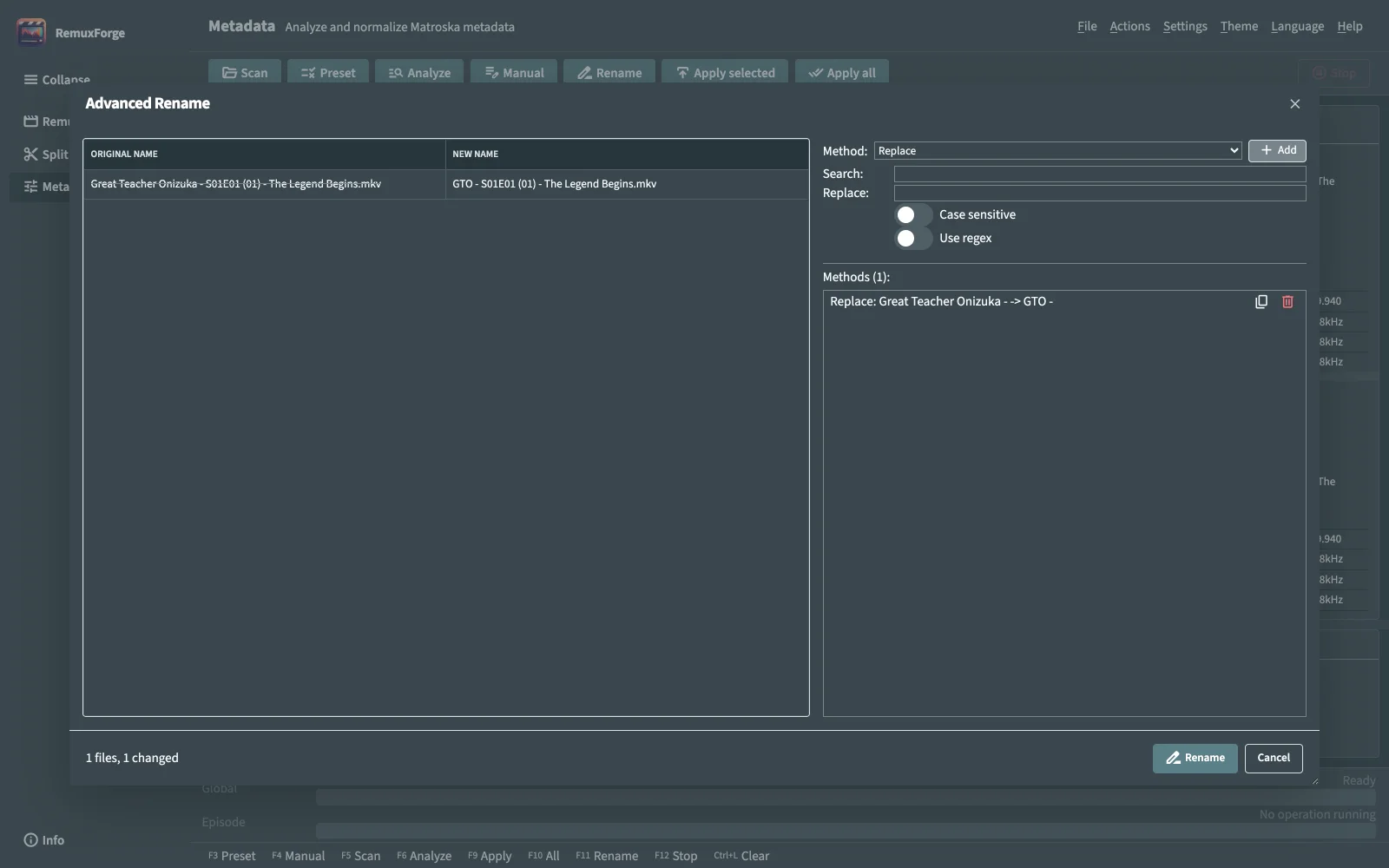
- Bulk rename with stacked methods and a preview of every new name.
The rest of the interface.
Same UI in the desktop app and in the browser. Scroll sideways, click to enlarge.
Get it. It's free.
Desktop app for Windows and macOS, WebUI for any machine or headless server, Docker image, and a CLI for scripts. Same engine in all of them.
- Windows x64
- macOS x64 · ARM64
- Linux x64 · ARM64
- Docker x64
Needs MKVToolNix, ffmpeg (downloaded automatically on Windows and Linux; brew install ffmpeg-full on macOS) and MediaInfo CLI.
docker run -d \
  --name remuxforge \
  -p 5000:5000 \
  -e REMUXFORGE_DATA_DIR=/data \
  -v /path/to/config:/data:rw \
  -v /path/to/media:/media:rw \
  draknodd/remuxforge:latest
Paths typed in the WebUI are resolved inside the container.
# Windows
RemuxForge.Web.exe

# Linux / macOS
chmod +x RemuxForge.Web
./RemuxForge.Web
Then open http://localhost:5000. The port is configurable.
# Italian audio into an English release, constant offset
RemuxForge.Cli --mode remux -s "D:\Series.ENG" -l "D:\Series.ITA" -t ita -d "D:\Output" -fs

# A disc file into episodes, by chapter groups
RemuxForge.Cli --mode split --source "disc1.mkv" --pattern "5,5,5,6" --output-dir "D:\Output"
Every option is in the CLI reference.
Written for the WebUI, with real cases.
Start
Split and Metadata
Worked examples
Reference
Under the hood
Free, and staying that way.
RemuxForge is open source under GPLv3. If it saves you an evening of nudging delays by hand, a coffee helps keep it going. Found a bug? Open an issue with the command line, tool versions and the relevant MediaInfo or ffmpeg output.